A CLEARER PICTURE
Every app.
In the open.
See which apps are connecting, with live traffic and connection states.
Network monitor & app firewall for Mac
See what’s connecting, where it’s going, and how much it’s sending. A clear view of your Mac’s network, with the controls in your hands.
Apple Silicon + Intel · macOS 15+
Know your network.
A CLEARER PICTURE
See which apps are connecting, with live traffic and connection states.
YOUR CALL
Add your own rules for apps, domains or IPs. You decide what gets blocked.
STAYS CLOSE
Traffic history and rules stay on your Mac. Packet contents aren’t stored.
THE BIGGER PICTURE
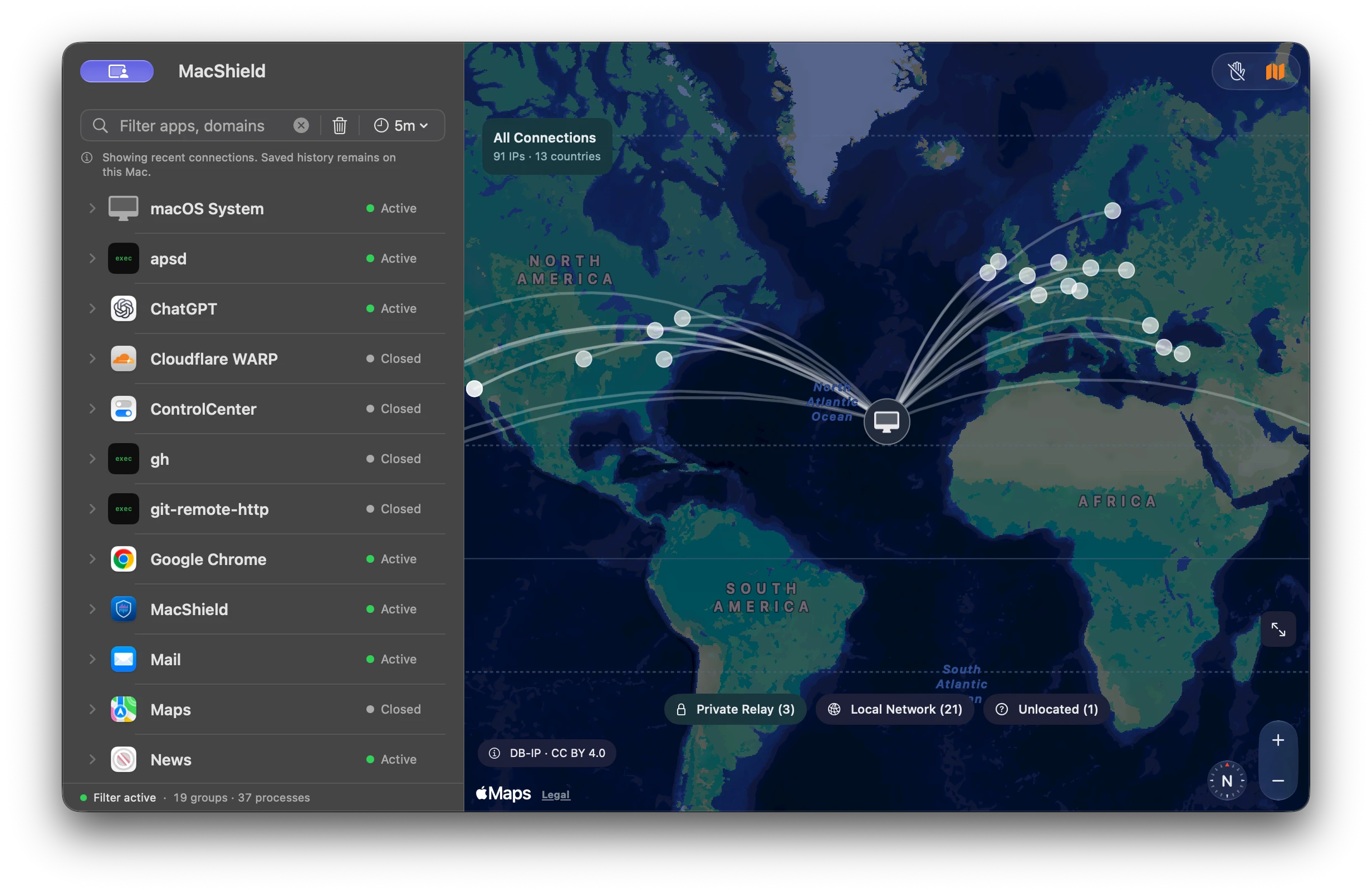
Explore destination maps, approximate IP locations, and paths from your Mac.
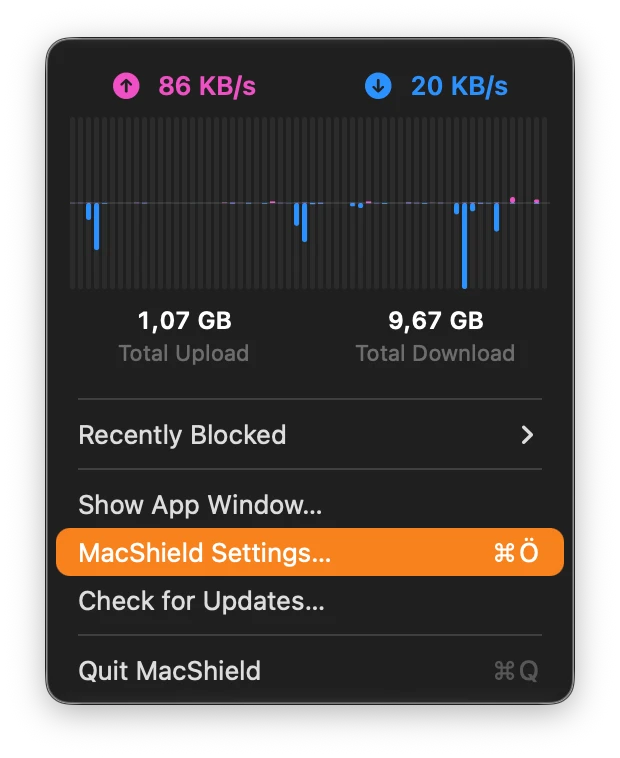
ALWAYS WITHIN REACH
Live speeds, a traffic graph and recent blocks. Right in your menu bar.
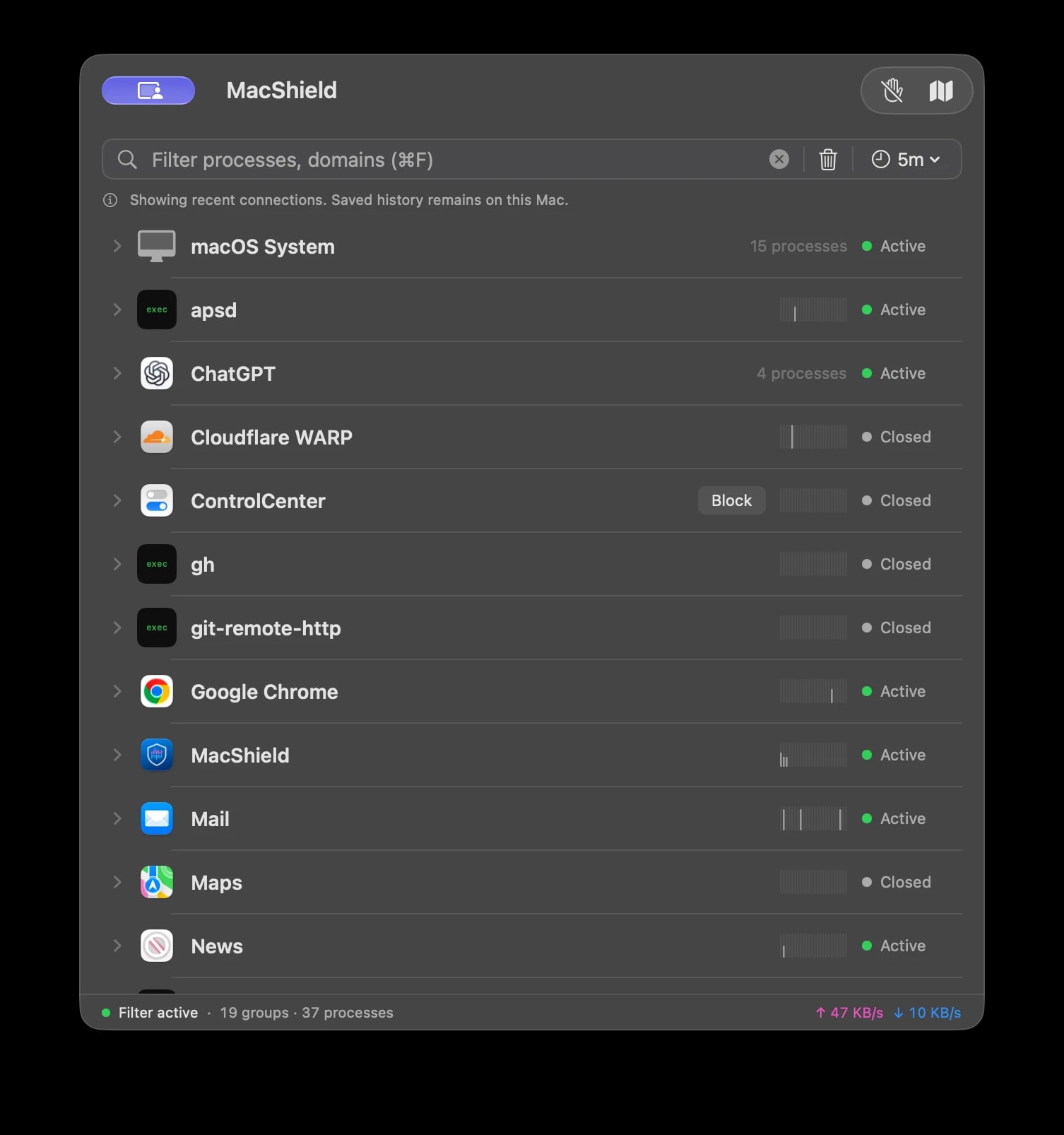
Every app has a story.
Bring your Mac’s network activity into focus. Follow each app, expand its connections, and explore the traffic behind it.
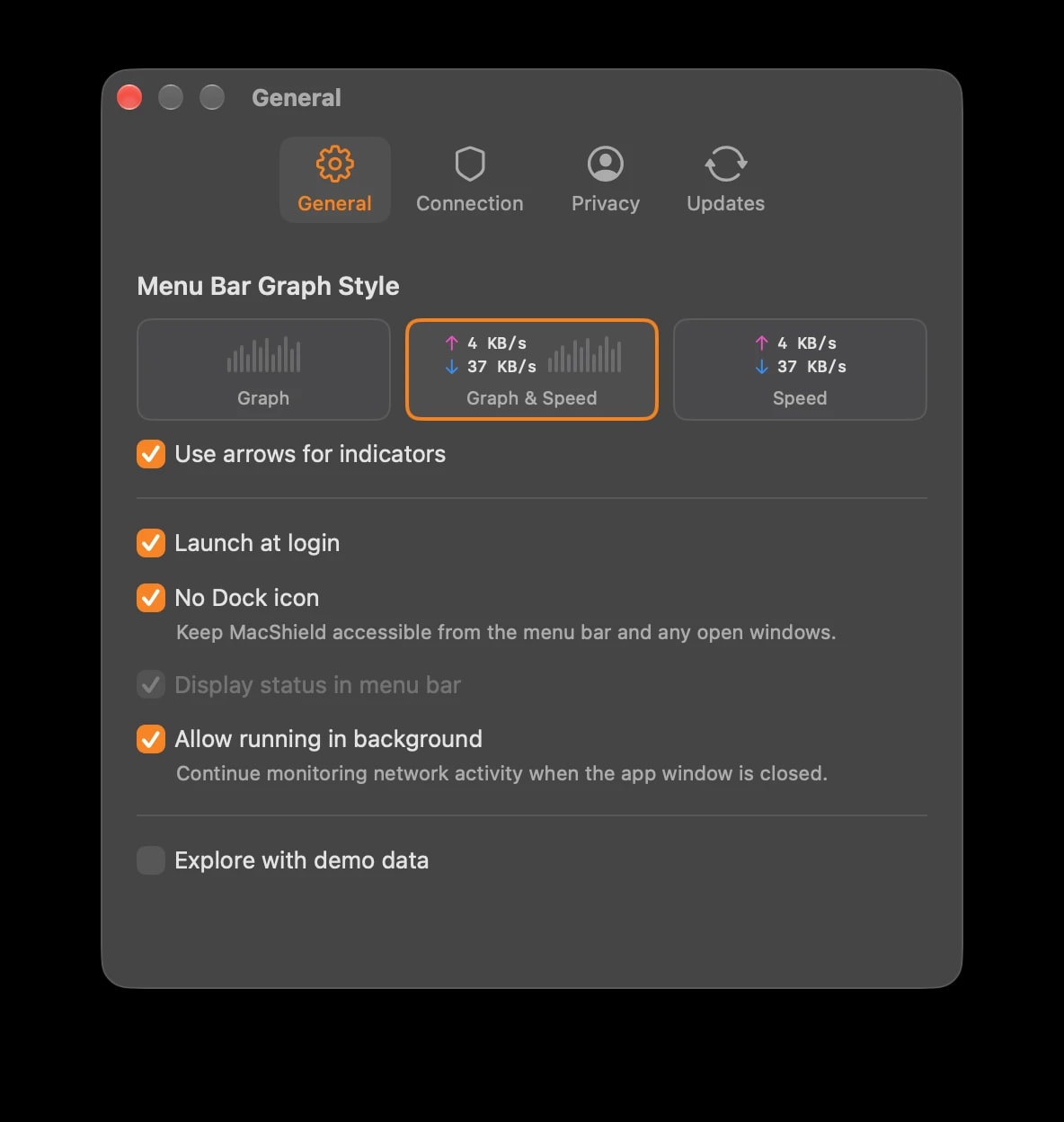
Quietly, your way.
Choose a graph, live speeds, or both. Let MacShield start at login and keep monitoring in the background, with or without a Dock icon.
Up and running
Download the latest MacShield DMG, drag the app into Applications, and open it on your Mac.
Choose Enable Filter, then approve MacShield’s system extension and content filter in System Settings.
Explore live connections and the map. Add a manual block rule only when you decide a connection should stop.
Your existing connections are allowed unless they match an enabled manual block rule.
A few useful answers
MacShield supports Apple Silicon and Intel Macs running macOS 15 or later. Network monitoring requires approval of its system extension and content filter in System Settings.
No. MacShield monitors connections by default. Only enabled Block List rules that you add manually can block traffic. You can create rules for apps, domains or IP addresses, including wildcard domains and explicit app exceptions.
Traffic history and rules stay on your Mac. MacShield does not store packet contents. Connection maps use a bundled IP-location database; Apple Maps may request background map tiles.
Locations are approximate estimates from the destination IP address, not the physical location of a person or device. Local-network connections, observed Private Relay hostnames and destinations without a known location are shown separately.
Some encrypted connections hide their destination hostname. MacShield shows names when they can be observed and uses IP addresses where a name is unavailable. You can use app or IP rules for those connections.
Yes, when Allow running in background is enabled. You can keep live speeds and a traffic graph in the menu bar, hide the Dock icon and start MacShield automatically at login.

macOS 15+ · Apple Silicon + Intel · Latest stable release